Snelkeus - macOS app
Cull, caption, rename. Nothing else.
A free Mac app for the hour after the show: get from two full cards to a captioned, well-named selection. No catalog, no import, no waiting for previews.
It never develops the raw. It shows the JPEG the camera already put inside it, the way Photo Mechanic does. Snelkeus is Dutch for “quick pick”.
macOS 14 or later · Apple Silicon and Intel · Version 1.1
01
Ingest
Put both cards in and drag them onto the window. Everything is copied to <job folder>/raw, named from your metadata. You can cull while it copies.
02
Cull
T tags, 1-5 sets stars, 6-9 sets colour labels. Return opens the loupe; space, Z or a click shows 100%.
03
Caption and rename
Fill in the job once. Every IPTC field can use tokens like {event} and {date}. Rename with undo, or copy your selection to an archive folder.
Why it's fast
Developing a raw file is the slow part of every photo app, and culling doesn't need it. A Canon CR3 already contains a full-size JPEG made by the camera: 8192 x 5464 pixels on an R5 Mark II. Snelkeus reads that JPEG straight out of the file.
It also loads ahead in the direction you browse. In tests at 4 and 8 photos a second, every frame was already sharp when it appeared. At 15 a second, 31 of 33 were; the other two waited at most 34 ms. Hold an arrow key down (about 25 a second) and you see a soft thumbnail for about 26 ms before the sharp image lands.
0-50 ms
to show a photo at screen size
0 ms
for a 100% focus check
0-6 ms
per grid thumbnail
0
raw files developed: it shows the camera's own JPEG
Approximate timings on a Mac mini M4 Pro, with real concert files.
What you get
Ingest, cull, caption, rename, copy. Done properly, and nothing more.
No catalog
Open a folder or a card and start. Snelkeus works on the files where they are. There is nothing to import and nothing to keep in sync.
Two bodies, one timeline
Photos from both cards are merged in capture-time order. If two bodies produce the same file name, the second one gets -2.
The Photo Mechanic tag
T sets the same XMP tag Photo Mechanic uses, so the two apps read each other's tags. Stars and colour labels work Lightroom style.
Open IPTC metadata
Event, location, city, person shown, headline, caption, keywords, creator, credit, copyright, usage terms and more. Any field can use tokens like {event}, {location} or {date}.
Pinned or per job
Pin the fields that never change, like your name and copyright. Unpinned fields start empty for every new job. Locations remember their city.
Presets
Save the whole setup as a .snelkeus file and double-click it on another Mac. Your templates, pins and locations come along.
Rename with undo
File and folder names come from templates over the same tokens. A rename can be undone, and the XMP files move along.
Copy the selection
Copy your picks to an archive or delivery folder, with new names and the metadata written into the copies.
Safe by design
XMP only: a sidecar next to a raw, inside the file for JPG, DNG and HEIC. It never modifies a raw, never overwrites a file and never deletes anything.
Lightroom friendly
Lightroom Classic reads the stars, colour labels and IPTC fields when you import. So cull, caption and rename first, then import.
Check focus where you click.
Space, Z or a click shows the camera's full-size JPEG at 100%, right at the spot under your mouse. Drag to pan, Esc to go back.
A 100% view takes about 85 ms on a Mac mini M4 Pro.
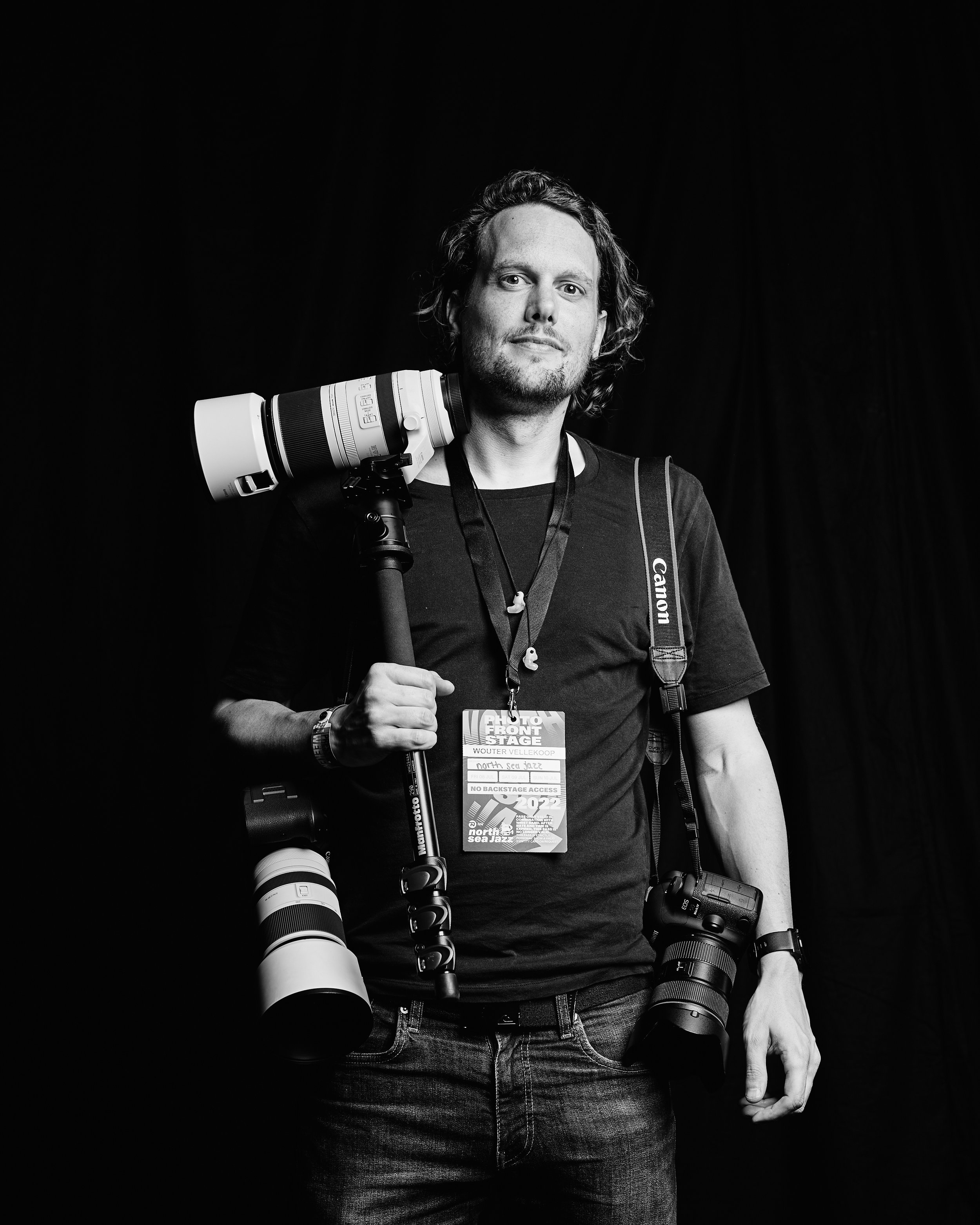
Why I built this
Built for the night of the show.
I am Wouter Vellekoop, a concert photographer. I shoot with two Canon EOS R5 Mark II bodies, so after a show there are two full cards, and the delivery is often due that same night or the next morning.
Before any editing, three things have to happen: pick the keepers, put captions and credits in, and give the files names an editor can find. Photo Mechanic is fast at that because it never renders the raw. Snelkeus works the same way, and does only the few things I actually use.
No catalog, no editing, no subscription. It's free and open source, so if you need it to do something else, the code is on GitHub.
Requirements
What you need, and what's inside.
macOS 14 or later
Sonoma or newer, on Apple Silicon or Intel. One download works on both.
Canon CR3 on the fast path
Other raws (CR2, NEF, ARW, RAF, ORF, RW2, DNG and more) and JPG, HEIC and TIFF open through macOS, using the embedded previews where the camera provides them.
Not notarized by Apple
The first time you open it, macOS blocks it. Go to System Settings > Privacy & Security and click Open Anyway.
ExifTool included
Snelkeus writes metadata with ExifTool by Phil Harvey, bundled in the app as it is. Thank you, Phil.
MIT license
Use it, change it, share it. The source is on GitHub.
Version 1.1
The download button always gets the latest release.
Stop waiting for previews.
Ingest, cull, caption, rename. One small app, no catalog, free.
The story behind it: why I built my own culling app. Questions or ideas? hello@wouter.photo